To use an MCP server in GitHub Copilot, add the server to the Copilot surface you work in, then call its tools from an agent session. In VS Code, run MCP: Add Server from the Command Palette, paste the server's URL or launch command, and pick a destination. In Copilot CLI, run copilot mcp add <name> -- <command>. For the cloud agent on GitHub.com, a repository admin pastes a JSON block under Settings > Copilot > MCP servers. MCP is included on every Copilot plan, including Free, but on Copilot Business and Enterprise an admin must first turn on the "MCP servers in Copilot" policy, which is off by default.
The hard part is not the clicking. Copilot now has at least four places where MCP configuration lives, with two different JSON shapes, and a server added in one place does not always show up in another. This guide maps those places so you put each server in the right file the first time. We checked the setup against GitHub's and VS Code's docs on October 22, 2026 and ran the Copilot CLI steps on the box with Copilot CLI 1.0.103 and the reference Memory server 2.0.0.
Where Copilot reads MCP servers
GitHub Copilot speaks the Model Context Protocol in the IDE extensions, in Copilot CLI and in the cloud agent. Each surface reads its own config:
| Surface | Where the config lives | Top level key |
|---|---|---|
| VS Code, Copilot harness (personal) | ~/.copilot/mcp-config.json (or $COPILOT_HOME/mcp-config.json) | mcpServers |
| VS Code, Local harness | .vscode/mcp.json or the profile mcp.json | servers |
| Copilot CLI (personal) | ~/.copilot/mcp-config.json | mcpServers |
| Copilot CLI (one repository) | .mcp.json or .github/mcp.json | mcpServers or bare names |
| Visual Studio, JetBrains, Xcode, Eclipse | mcp.json opened from the Copilot Chat tools panel | servers |
| Cloud agent and code review | Repository Settings > Copilot > MCP servers | mcpServers |
Two things stand out. First, current VS Code and Copilot CLI share one personal file, so a server you add with Copilot Global in VS Code also appears in the terminal. Second, the older servers format is still what Visual Studio, JetBrains, Xcode, Eclipse and the VS Code Local harness use. The VS Code docs warn not to copy a config between the two formats without checking it, and the Copilot CLI docs say plainly that the CLI does not read .vscode/mcp.json. If you want a different assistant in Visual Studio, see GitHub Copilot alternatives for Visual Studio.
How to use MCP server in VS Code Copilot
VS Code now runs agent sessions through a choice of harness. The Copilot harness uses the shared Copilot SDK and can keep working after you close the window; the Local harness runs inside the editor's extension host. Pick the harness before your first prompt, because it decides which MCP config the session sees.
- Open the Command Palette and run MCP: Add Server.
- Choose HTTP if the publisher gave you a URL, or Command (stdio) if they gave you a launch command such as
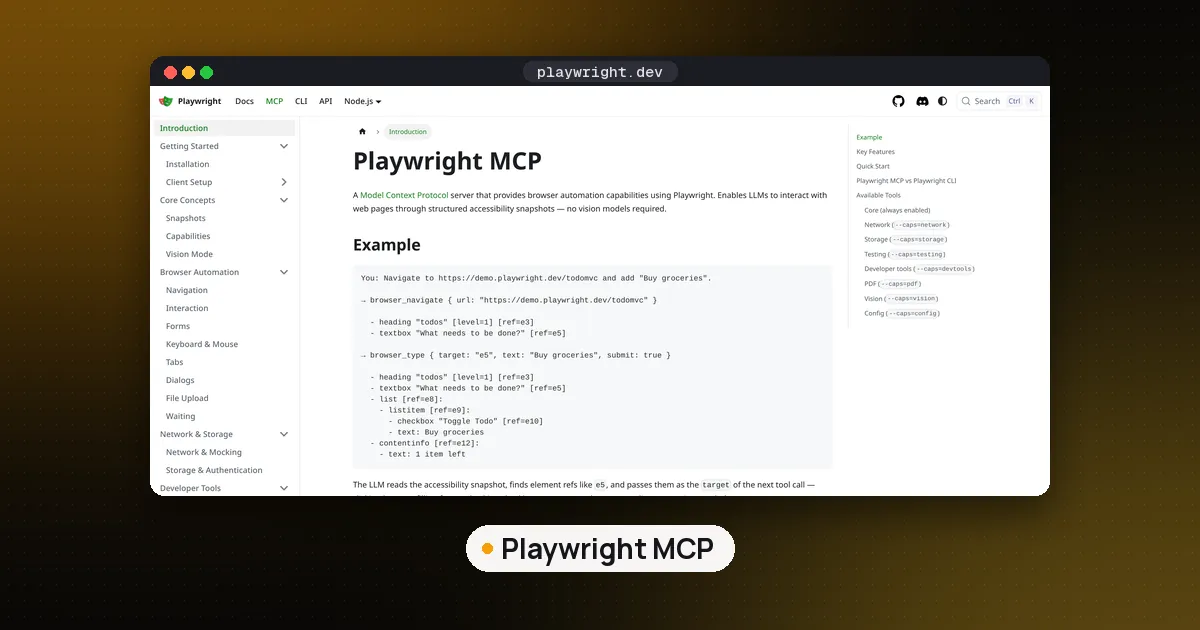
npx -y @playwright/mcp@latestfor Playwright MCP. - Enter a server ID that is not already in use.
- For yourself, choose Global, then Copilot Global. For a team, choose the workspace root
.mcp.json(behind the experimentalchat.mcp.workspaceRootConfig.enabledsetting) or the older.vscode/mcp.json. - Accept the trust prompt only after reading the command or URL.
You can also browse servers: type @mcp in the Extensions search box to open the MCP server gallery (in preview), then select Install, or right click and choose Install in Workspace to share it with the project.
Adding a server is not proof it works. The VS Code docs suggest a test prompt that names the server and a harmless action, then expanding the tool call in the chat to check it came from that server. For example: "Use the Playwright MCP server to open my staging URL and report the page title. Do not change files."
A few limits are worth knowing. VS Code input variables (the ${input:...} password prompts) and env files are not supported in the portable mcpServers files, and servers that need interactive inputs are not forwarded to Copilot harness sessions. If your server needs a prompted secret, keep it in a Local harness config or follow the publisher's own sign in flow. GitHub's docs list VS Code 1.99 as the minimum for MCP, and the GitHub MCP server README asks for 1.101 or later for remote servers with OAuth.
If you are writing your own server rather than installing one, our guide to building an MCP server in Python shows the .vscode/mcp.json entry for a local script, and how to run an MCP server locally covers testing a server with the MCP Inspector before any client touches it.
Copilot CLI: add, scope and check a server
Copilot CLI ships with the GitHub MCP server built in, so you only add the others. On the box, these commands wrote straight to the personal config file:
copilot mcp add memory -- npx -y @modelcontextprotocol/server-memory@2.0.0
copilot mcp add --tools read_graph,search_nodes memro -- npx -y @modelcontextprotocol/server-memory@2.0.0
copilot mcp list
The second line is the habit to copy. The Memory server offers nine tools, and --tools limited that entry to the two that only read. copilot mcp list then showed both user servers plus the builtin github-mcp-server (http). For remote servers, use copilot mcp add --transport http <name> <url> and pass tokens with --header.
To share servers with a team, commit .github/mcp.json in the repository:
{
  "mcpServers": {
    "time": {
      "type": "local",
      "command": "uvx",
      "args": ["mcp-server-time"],
      "tools": ["get_current_time"]
    }
  }
}
In our test, the CLI ignored this file until the folder was trusted, exactly as the docs describe: project servers are skipped silently in untrusted directories. Once the folder was trusted, the server appeared under "Workspace servers". A .vscode/mcp.json sitting in the same repository was never listed. If a team server is missing in the terminal, check folder trust before anything else.
Copilot cloud agent and code review
The cloud agent (the one you assign an issue to) and Copilot code review share one repository level MCP config. GitHub's repository MCP docs set different rules here than in the IDE:
- No approval prompts. Once configured, the agent calls these tools on its own. GitHub recommends listing specific read only tools in
toolsrather than*. - Tools only. Resources and prompts are not supported, and neither are remote servers that need OAuth.
- Secrets need a prefix. Store keys as Agents secrets or variables named
COPILOT_MCP_...and reference them as$COPILOT_MCP_API_KEYinenvorheaders. - Code review is stricter. It only uses a tool whose
annotations.readOnlyHintistrue. We listed the Memory server's tools with the MCP Inspector:read_graph,search_nodesandopen_nodescarry that flag, the six write tools do not. - Defaults are on. The GitHub MCP server (with a token scoped to read the current repository) and the Playwright MCP server are enabled by default.
To check it worked, assign an issue to Copilot, open View session, and expand the Start MCP Servers step; the started servers list their tools there. If a server needs a runtime the Actions runner lacks, add it in copilot-setup-steps.yml.
Using the GitHub MCP server in Copilot
The GitHub MCP server is the one most people want first. The hosted version lives at https://api.githubcopilot.com/mcp/, and VS Code signs you in with OAuth. In JetBrains, Xcode and Eclipse, GitHub's examples pass a personal access token in an Authorization: Bearer header instead. A local Docker image, ghcr.io/github/github-mcp-server, exists for hosts without remote support and for GitHub Enterprise Server, which cannot use the hosted server.
Trim it before you use it. The default toolsets are context, repos, issues, pull_requests and users; you can choose others with the X-MCP-Toolsets header on the remote server or GITHUB_TOOLSETS locally, and the /readonly URL (or --read-only locally) drops every write tool. Fewer tools means less context spent on tool descriptions and fewer chances for the agent to pick the wrong one.
Business and Enterprise: the policy switch
If MCP options are missing for you on a work account, the cause is usually policy, not your config. Per GitHub's MCP setup docs, the "MCP servers in Copilot" policy is disabled by default and only applies to Copilot Business and Enterprise seats. Free, Pro, Pro+ and Max users are not governed by it. Organizations can also set a registry URL and an allowlist; Copilot CLI honors both, so only allowed servers will run. The Copilot plans page lists MCP as included on every individual and business plan.
Safety checklist
- Read the command before you trust it, especially in a cloned repository's
.mcp.json. - Pin versions (
@2.0.0, not@latest) for anything a team or the cloud agent runs. - Allowlist read only tools for the cloud agent, since it does not ask before calling them.
- Keep tokens in
COPILOT_MCP_secrets or environment variables, never in committed JSON.
For how Copilot compares with other agents that speak MCP, see GitHub Copilot vs Claude Code and our best AI coding assistant roundup. Claude Code and Cursor read the same servers with their own config files.
FAQ
Is MCP free in GitHub Copilot?
Yes. GitHub's plans page lists MCP as included on Copilot Free, Student, Pro, Pro+ and Max, and on Business and Enterprise. There is no separate MCP fee, but the agent sessions that call MCP tools draw AI credits like any other chat or agent use.
Why don't I see MCP servers in Copilot at work?
Your organization has not enabled the "MCP servers in Copilot" policy, which is off by default for Business and Enterprise. An allowlist can also block specific servers. Ask an admin; there is nothing to fix in your own config.
Does Copilot CLI read my VS Code mcp.json?
No. The CLI reads ~/.copilot/mcp-config.json, .mcp.json and .github/mcp.json. It ignores .vscode/mcp.json because that file uses the servers key. A server added in VS Code with Copilot Global does show up, since both tools share the personal file.
Can the Copilot cloud agent use my local MCP server?
It can run local (stdio) servers, but it starts them on its own GitHub Actions runner, not on your laptop. Anything the server needs must be installed there, and secrets must come from COPILOT_MCP_ variables.
Is MCP in Copilot Studio the same thing?
No. Copilot Studio is Microsoft's agent builder, separate from GitHub Copilot. It also connects to MCP servers, through an onboarding wizard, and per Microsoft's docs it supports MCP tools and resources and requires generative orchestration. The steps in this guide do not apply there.