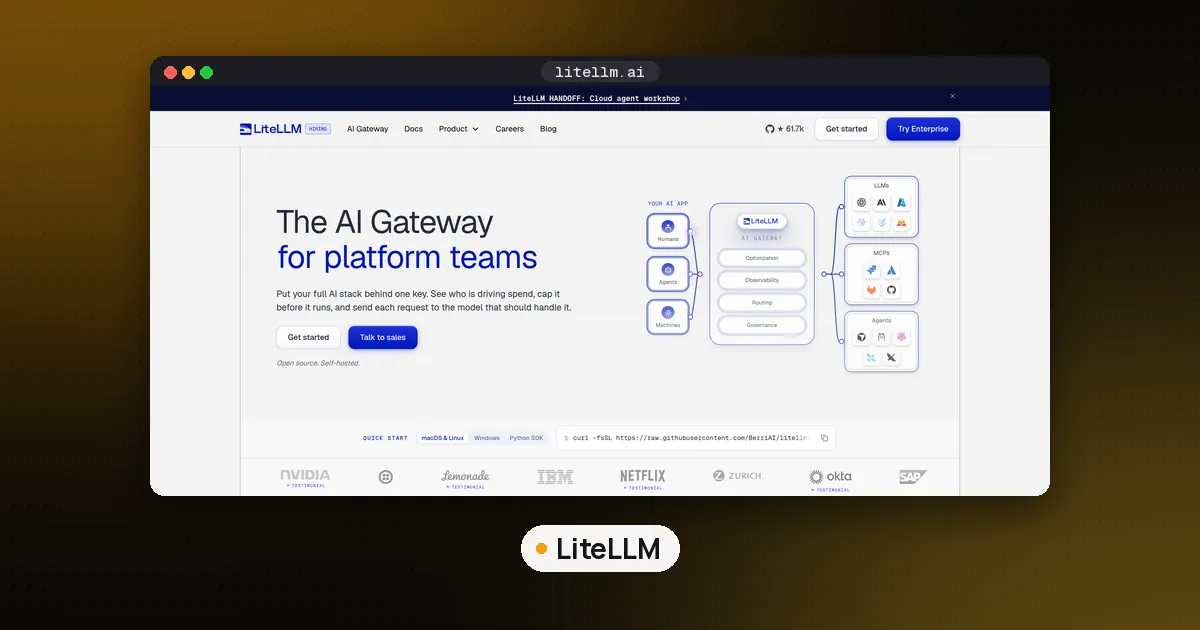
Yes, LiteLLM was compromised again. On October 21, 2026, version 1.107.0 of the litellm package was published to PyPI with a credential stealer and a remote code backdoor in every wheel, and the matching Docker images, including the latest, main-latest and main-stable tags, carried the same payload. If you installed litellm==1.107.0 or pulled one of those image tags on October 21, treat the host as compromised: remove the planted files from a shell, rebuild on a pinned clean version (1.106.2 is the one the maintainers name), and rotate every secret that machine could reach, starting with the provider keys stored in your LiteLLM proxy.
This guide covers how to tell whether you are affected, the exact files and markers to look for, what to rotate, and how to pin LiteLLM so the next bad release can't reach you. It is based on the public security report in the LiteLLM GitHub issue, the maintainers' replies in that thread, the SafeDep analysis, LiteLLM's own incident post and the PyPI registry, all read between 10:00 AM and 2:50 PM ET on October 21. The investigation was still open at that point, so check the issue for newer updates before you act on the details below.
Is LiteLLM compromised? The short answer
Only specific artifacts were bad. Per the reporters and the maintainers:
| Channel | Affected | Status when checked |
|---|---|---|
PyPI litellm | 1.107.0 (all 7 wheels; the sdist has a tampered pyproject.toml) | Removed from PyPI; latest is 1.106.2 |
| Docker images | v1.107.0, plus latest, main-latest and main-stable on ghcr.io/berriai/litellm, litellm-database, litellm-non_root and docker.io/litellm/litellm | GHCR tags unavailable by 9:51 AM ET; Docker Hub tags removed or repointed to clean builds by 10:20 AM ET, per LiteLLM's incident post |
| Checked clean | 1.106.2, 1.107.0rc1, 1.107.0rc2, the earlier 1.103 to 1.106 releases the reporters inspected, and the pinned litellm-proxy-extras 0.4.110 and litellm-enterprise 0.1.78 | |
| Enterprise private registry | Not affected, according to the maintainers |
The git tag v1.107.0 itself does not contain the payload, so building from the tag is not how people got hit. The bad files came in through the published wheels and images.
What happened, in order
All times are Eastern on Wednesday, October 21, 2026, converted from the UTC times in the reports.
- 6:08 AM: a privileged developer credential was used to override GitHub branch protection and change LiteLLM's private release workflow.
- 6:44 AM: the legitimate 1.106.2 release was uploaded to PyPI.
- 6:46 AM: the modified workflow started a staging run that built from the attacker controlled repository
Berri-AI/litellm. - 7:11 AM: a second developer account satisfied the production approval gate.
- 7:39 to 7:40 AM: eight 1.107.0 files (seven wheels and the sdist) were uploaded to PyPI.
- 7:47 AM: the container publish jobs ran, and
v1.107.0,latest,main-latestandmain-stableon Docker Hub and GHCR started pointing at the infected image. - 7:50 AM: the project's release bot published the v1.107.0 GitHub release.
- 7:53 to 7:54 AM: a third developer account deleted the staging and production workflow records.
- 8:06 AM: the security issue was opened on GitHub.
- By 9:23 AM: PyPI had removed 1.107.0.
- 10:32 AM: the maintainers told open source users to pin 1.106.2 or another explicit version published earlier.
- 9:51 AM: the affected GHCR tags were found unavailable. Docker Hub tags still served the bad image.
- 10:20 AM: all affected Docker Hub tags were removed or repointed to verified clean builds, per the incident post.
- 12:32 PM: the maintainers said the attacker acted through three engineers' GitHub accounts, apparently using stolen GitHub CLI OAuth tokens: one account started the project's
project-releaserrun and another approved it. They revoked those tokens, removed every user but one unaffected account from the GitHub organization, and removed the trusted links between their registries and that organization. - 2:30 PM: the maintainers published a public incident post. They had a potential explanation for one leaked token, had seen no ongoing suspicious activity, and said releases are paused while their registries stay locked. The next update was promised for 4:30 PM.
How it got in is now mostly known. The release went out through LiteLLM's own pipeline, driven from three hijacked engineer accounts: one overrode branch protection, one approved the production run and one deleted the logs. The reporters and SafeDep both traced the build to a lookalike repository named Berri-AI/litellm (with a hyphen), and LiteLLM's incident post confirms the official v1.107.0 tag is clean. What's still open is how the attacker stole the first token and then reached the other two accounts.
This is the second time this year. On March 24, 2026, LiteLLM 1.82.7 and 1.82.8 were published with a credential stealer, as described in LiteLLM's own March security update. Version 1.82.8 used the same trick of a .pth file that runs at Python startup.
What the malware does
Installing 1.107.0 drops three files at the root of site-packages:
cook.pth, which contains one line,import cook. Python runs import lines in.pthfiles every time an interpreter starts, so this fires in every Python process in that environment, including pip itself, test runners and editor language servers, even if nothing imports LiteLLM.cook.py, a compressed credential stealer. It runs once per host in a background thread.sitecustomize.py, which Python also loads at startup. It forks a detached daemon that wakes every hour, reads a server address from a file in an attacker GitHub account, runs the stealer again and downloads and executes code from that server.
Per both reports, the stealer goes after SSH keys, shell history, AWS, Azure, GCP, Kubernetes and Docker credentials, GitHub CLI tokens, .env files and private keys, CI secrets, browser passwords, cloud instance role credentials, and the environment variables of every process it can read. Two targets matter most for agent builders. It reads the config and tokens of AI coding tools, naming Claude Code, Cursor, Codex, Gemini CLI, OpenCode, Aider and VS Code mcp.json files. And if DATABASE_URL is set, it dumps the LiteLLM proxy's credentials and model tables, which hold every upstream provider key the gateway stores.
The data is encrypted and sent to www.litellm.dev. That is not the project's domain, which is litellm.ai. SafeDep saw the attacker's GitHub account deleted by about 9:40 AM ET, so the hourly backdoor now finds no server, but any host that ran it earlier may already have received second stage code.
How to check if you are affected
Do these checks from a shell, without starting Python in a suspect environment. Every Python start, including pip list or pip install, runs the payload again.
1. Look for the planted files and the bad version:
find / \( -name cook.pth -o -name cook.py \) -path "*site-packages*" 2>/dev/null
find / -type d -name "litellm-1.107.0.dist-info" 2>/dev/null
A sitecustomize.py on its own is not proof: some Linux distributions ship a legitimate one. Treat it as suspicious when it sits next to cook.pth or inside an environment that had 1.107.0.
2. Look for the host markers:
ls -la /tmp/.pc_once_72129118c59f5636c0bb /tmp/remote_code_loader.lock 2>/dev/nullThe first file is written only after a successful upload of stolen data, so if it exists, assume the theft happened. If it doesn't exist, that proves nothing, because containers and temp cleanup remove it. The lock file means the backdoor daemon ran. Also look for an orphaned python process whose parent is PID 1 and whose working directory is /.
3. Check images, lockfiles and CI logs. Search for 1.107.0 in requirements*.txt, uv.lock and poetry.lock, in CI install logs from October 21, and in docker images --digests output for any LiteLLM image pulled that day by a floating tag. LiteLLM names the compromised image index as sha256:1bbcb1443bc962e45f5aad53fe3d2c30600e0379715fb6c664cdd3ac126c339e for litellm/litellm and ghcr.io/berriai/litellm; any container that ran it should be treated as compromised. The image window per the incident post was 7:46 AM ET until 9:51 AM on GHCR and 10:20 AM on Docker Hub. Any unpinned pip install litellm between 7:39 and about 9:23 AM ET could have resolved to the bad version, including installs pulled in by another package that depends on LiteLLM.
4. Check your network logs for requests to litellm.dev and to raw.githubusercontent.com/letters9813/, and for requests to the cloud metadata address 169.254.169.254 from Python processes.
If you were hit: clean up and rotate
The reporters' remediation steps, in order:
- Delete
cook.pth,cook.py,sitecustomize.pyand their__pycache__copies from every affectedsite-packages, using the shell. - Kill the detached Python daemon that holds
/tmp/remote_code_loader.lock. - Rebuild the virtual environment or image from scratch, pinned to
litellm==1.106.2, rather than repairing it in place. For Docker, pinv1.106.2by digest, not by tag. - If 1.107.0 was ever installed on a host with internet access, assume the data left.
- Rotate everything that host could reach. For a LiteLLM proxy that means every provider key stored in its database, the master key and virtual keys, the
DATABASE_URLpassword, the instance or task role, SSH keys, GitHub and package registry tokens, and the logins of any AI coding tools on that machine. - On AWS, look in CloudTrail for
GetCallerIdentitycalls from the instance role around install time, then for use of that role from outside your network.
How to pin LiteLLM so this can't reach you again
Floating installs are what turned a two hour window into real exposure. A few habits close most of that gap:
- Pin exact versions with hashes. Install from a lockfile, or use pip's hash checking mode (
--require-hashes) so a replaced or new file can't slip in. - Wait before taking new releases. uv's
exclude-newersetting accepts a duration such as"7 days", which ignores anything uploaded in the last week. Both LiteLLM incidents this year were caught and pulled within hours. - Pin images by digest and drop floating tags.
latestandmain-stablemoved to the bad image automatically today. - Give the gateway its own small box. Run the proxy in a container with only the secrets it needs, and keep developer tool logins, SSH keys and cloud admin credentials off that host. Do the same for agent code generally; our E2B vs Daytona vs Modal comparison covers disposable sandboxes.
- Treat GitHub CLI logins as release credentials. The attacker published through stolen GitHub CLI tokens, and this stealer collects the same tokens from every machine it reaches. Keep release approval on accounts and machines that don't run untrusted packages, and rotate
ghtokens after any incident. - Watch for attestations. The reporters point out that LiteLLM has never published PyPI attestations, so users can't tell a tampered build from a real one. Until that changes, the lockfile and the waiting period are your protection.
If this incident has you rethinking whether to run a gateway at all, our LLM gateway vs OpenRouter guide compares self hosting LiteLLM with a managed router such as OpenRouter. A managed service moves the patching and the key storage to someone else, at the cost of a platform fee and less control. For more on the runtime that sits around your models and tools, see what is an agent harness.
FAQ
Is LiteLLM safe to use now?
The maintainers' advice on October 21 was to pin 1.106.2 or any explicit version published before the incident. By 2:30 PM ET they had revoked the stolen tokens, cut their GitHub organization down to one account and seen no ongoing suspicious activity, but they had not fully explained how the tokens were stolen. Their image registries are locked to new releases, so normal releases are paused for now. Stay pinned and treat the next release as untrusted until they confirm the release path is fixed.
Which LiteLLM versions are compromised?
On PyPI, only 1.107.0. Researchers checked 1.106.2, 1.107.0rc1 and 1.107.0rc2 and found them clean. On Docker, the v1.107.0 image and the latest, main-latest and main-stable tags that pointed at it on October 21. Separately, 1.82.7 and 1.82.8 were compromised in March 2026.
I only use the LiteLLM Docker image. Am I affected?
Possibly. Unlike the March incident, the official images were affected this time. If you pulled v1.107.0, latest, main-latest or main-stable on October 21 from 7:46 AM ET until the tags were cleaned up (9:51 AM on GHCR, 10:20 AM on Docker Hub), treat that container's host and secrets as exposed. LiteLLM says customers on its private enterprise registry were not affected.
I never import LiteLLM directly. Can I still be affected?
Yes. The .pth file runs whenever Python starts in an environment where the package is installed, so a transitive install through an agent framework or MCP server is enough. Search your lockfiles for the version.
Does removing the package fix it?
No. Uninstalling with pip runs Python, which runs the payload again, and it does not undo data that was already sent. Delete the files from a shell, rebuild the environment, and rotate the secrets.
Who found the LiteLLM compromise?
The GitHub issue was filed on behalf of the Upwind security research team, and SafeDep published an independent analysis the same morning.