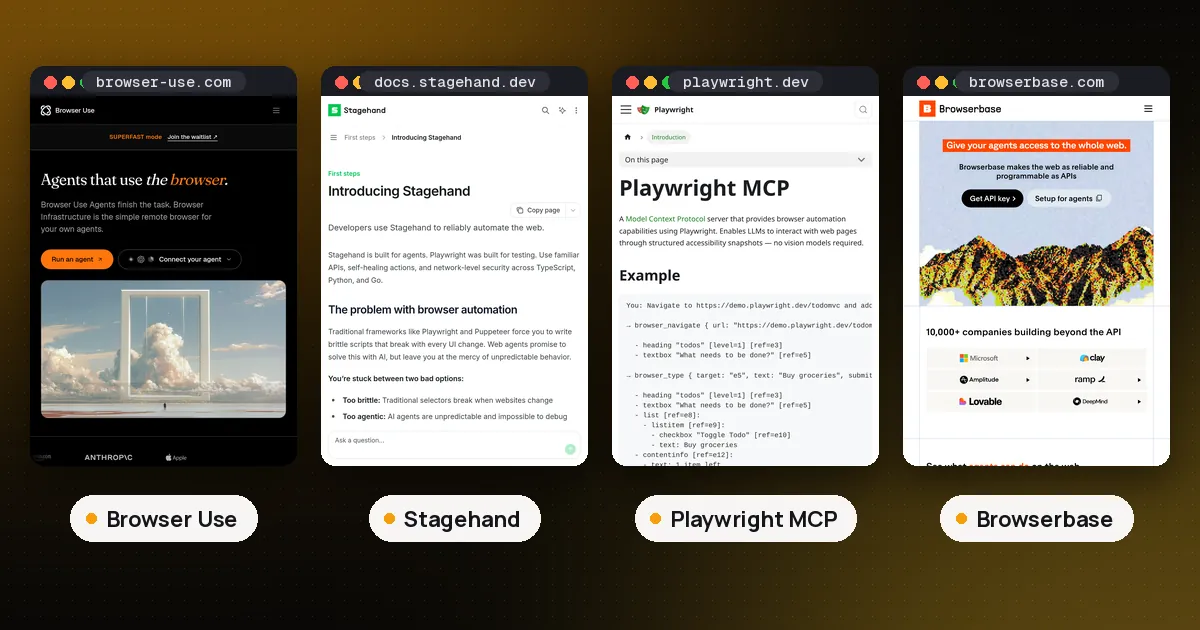
In the Browser Use vs Stagehand choice, pick Browser Use when you want a Python agent that owns the whole browser loop for open ended goals, and pick Stagehand when your application (or coding agent) should own control flow and call act / extract / observe plus deterministic page APIs. Choose Playwright MCP when you already have an MCP client such as Claude Code or Cursor and need structured browser tools without adopting a new agent library. Details below reflect official docs and package versions checked on October 11, 2026: browser use 0.13.11, Stagehand npm 4.2.0 / PyPI 4.2.1, and @playwright/mcp 0.0.83. If you've never started an MCP server on your own machine, how to run an MCP server locally covers npx, uvx and Docker.
Browser Use vs Stagehand vs Playwright MCP at a glance
| Item | Browser Use | Stagehand | Playwright MCP |
|---|---|---|---|
| Core job | Autonomous browser agent loop | AI primitives + Playwright style page APIs | MCP tool server over Playwright |
| Who plans steps | Built in Agent (or Cloud agent) | Your script, framework, or coding agent (v4 has no built in agent()) | The MCP host model's tool loop |
| Primary languages | Python (open source library); Cloud SDK also TS | TypeScript, Python, Go | Any MCP client (Node server via npx) |
| Page perception | Agent tools / screenshots / DOM oriented control | Accessibility snapshots, observe, screenshots | Accessibility tree snapshots with element refs |
| License (core) | MIT | MIT | Apache-2.0 |
| Hosted option | Browser Use Cloud (pay as you go) | Browserbase recommended | Local or self hosted MCP process |
| MCP | Local stdio MCP + Cloud MCP | Framework/CLI MCP adapters | Native MCP product |
In short: Browser Use is the agent. Stagehand is the hands your agent or script drives. Playwright MCP is the browser toolbelt for an existing MCP client.
Why agents need a browser layer (not just search)
Search APIs such as those covered in Tavily vs Exa vs Firecrawl return links and readable content. They do not click through multistep UIs, fill authenticated forms, or keep session state across tabs. A browser layer gives the agent a real Chromium session: navigate, read the page, act, and repeat. That is a different problem from sandboxed code execution (see E2B vs Daytona vs Modal) and from protocol questions like MCP server vs API.
The three options below all solve "give the model a browser," but they place the planner in different places. That placement drives reliability, cost, and how much deterministic code you can keep.
Browser Use: the agent owns the loop
Browser Use is an open source Python project (browser-use/browser-use, MIT) plus a hosted Cloud product. The open source path centers on an Agent that takes a natural language task and an LLM, then repeatedly observes and acts until it finishes. The official quickstart installs with uv pip install browser-use, runs uvx browser-use install for Chromium, and shows a minimal agent that finds the top Show HN post.
from browser_use import Agent, ChatBrowserUse
from dotenv import load_dotenv
import asyncio

load_dotenv()

async def main():
    llm = ChatBrowserUse()
    agent = Agent(task="Find the number 1 post on Show HN", llm=llm)
    await agent.run()

asyncio.run(main())
You can swap in other providers (ChatOpenAI, ChatAnthropic, ChatGoogle) per the same docs. For production, Browser Use documents a @sandbox decorator that runs the agent next to a managed browser with profiles for auth and cookies. There is also a Browser Use CLI aimed at coding agents, and both a local MCP server (uvx --from 'browser-use[cli]' browser-use --mcp) and a Cloud MCP option.
Pricing shape (verify live rates): Cloud is pay as you go with credits that do not expire. The Browser Use pricing page lists browser time, residential proxy traffic, and model cost plus a service fee when you use their models; bring your own key still incurs browser/network charges. Eligible new accounts get a small one time credit grant (docs also mention ChatBrowserUse signup credits. Check the current signup flow). Do not treat third party star counts or blog benchmarks as search volume; as of this check the GitHub repo had on the order of 100k+ stars, which only signals popularity of the codebase.
Pros: fastest path from "goal in English" to a running Python browser agent; strong MCP/CLI hooks for coding agents; Cloud removes browser ops work.
Cons: less determinism than a hand written Stagehand or Playwright script; Python first open source core; autonomous loops can spend tokens on retries.
Who it's for: teams building open ended web agents in Python, and coding agent users who want a dedicated browser skill or MCP without writing selectors.
Stagehand: application controlled AI browser APIs
Stagehand is Browserbase's open source SDK (browserbase/stagehand, MIT) for reliable web automation. The v4 docs describe it as built for agents: mix AI primitives (act, extract, observe) with Playwright style page APIs (goto, locator, click, …), over Chrome DevTools Protocol, with matching TypeScript, Python, and Go SDKs (introduction).
Critical v4 change: the built in agent() loop from v3 is removed. The v3 → v4 migration guide says nothing replaces it one for one. Browserbase recommends code mode (a coding assistant writes a Stagehand script you run) or tool calling (your model/framework drives Stagehand methods as tools). Caching of act / extract / observe results is server side on Browserbase by default.
import { browserbase, Stagehand } from "@browserbasehq/stagehand";
import { z } from "zod/v4";

const browser = await browserbase.launch({ apiKey: process.env.BROWSERBASE_API_KEY });
const stagehand = await Stagehand.create({ browser });

try {
  const page = await browser.context.newPage("https://example.com");
  await page.locator("a#login").click(); // deterministic
  await stagehand.act("click the continue button if shown"); // model-backed
  const { data } = await stagehand.extract(
    "extract the account balance",
    z.object({ balance: z.string() }),
  );
  console.log(data.balance);
} finally {
  await stagehand.close();
  await browser.close();
}
Stagehand also publishes agent framework integrations (CrewAI, Mastra, Vercel AI SDK, Deep Agents, and others) that expose persistent browser tools over MCP or native bindings, plus CLI agent guides for Claude Code, Codex, and Cursor. Treat those integrations as experimental per the docs, and keep one MCP connection open so snapshot IDs stay valid.
Browserbase hosting: Stagehand works locally, but Browserbase is the recommended host for remote browsers, Model Gateway, and server side caching. Browserbase pricing (checked Oct 11, 2026) includes a Free plan ($0/mo with limited concurrent browsers and browser hours), Developer at $20/mo, Startup at $99/mo, and custom Scale. Overages are billed per browser hour and related APIs. Confirm the live table before budgeting.
Pros: precise mix of deterministic and AI steps; multilanguage SDKs; deep Browserbase ops story; good fit for production scripts and harnesses (see what is an agent harness).
Cons: you (or your coding agent) own the loop in v4; learning the new construction/{ data, metadata } result shape; Browserbase costs if you need scale and stealth features.
Who it's for: product engineers who want reviewable browser code, TypeScript heavy stacks, and teams already on Browserbase.
Playwright MCP: browser tools for an existing MCP client
Playwright MCP is Microsoft's Model Context Protocol server for Playwright (microsoft/playwright-mcp, Apache-2.0). Official docs at playwright.dev/mcp emphasize accessibility snapshots rather than pixels: tools return a structured tree with element refs, and the model passes those refs into click/type/fill tools. No vision model is required for the core workflow. Package @playwright/mcp 0.0.83 was current on npm at check time.
{
  "mcpServers": {
    "playwright": {
      "command": "npx",
      "args": ["@playwright/mcp@latest"]
    }
  }
}
Installation docs require a recent Node.js and an MCP client (VS Code, Cursor, Windsurf, Claude Code, Claude Desktop, and similar). The browser downloads on first use; headed mode is the default so you can watch the session. Playwright documents 70+ tools across core automation plus optional capability groups (network, storage, testing, vision, PDF, and more). Microsoft also contrasts MCP with the Playwright CLI: MCP suits exploratory agentic loops with higher token cost; the CLI+skills path is often cheaper for coding agents working in large repos.
Pros: zero new agent framework; works wherever MCP already works; snapshot based refs are more deterministic than screenshot clicking; first party Playwright maintenance.
Cons: planning quality depends entirely on the host model and prompts; tool schemas and snapshots consume context (related idea: Code Mode MCP); not a hosted browser fleet by itself.
Who it's for: developers who already live in Claude Code, Cursor, or another MCP host and need browser automation without adopting Browser Use or Stagehand.
How to choose (decision tree)
- Do you already drive tools through MCP and only need a browser? Start with Playwright MCP. Add Browser Use's MCP or Stagehand's MCP adapters later if you need their higher level primitives.
- Is the task open ended ("figure out how to renew this vendor portal") and you want Python? Prefer Browser Use's
Agentor Cloud agent. - Is most of the flow stable, with a few brittle UI steps? Prefer Stagehand v4: deterministic locators for the stable parts,
act/extract/observefor the rest. Generate the script with a coding agent (code mode) when you can. - Do you need managed browsers, stealth, or session infra at scale? Pair Stagehand with Browserbase, or run Browser Use Cloud. Playwright MCP alone does not replace a browser cloud.
- Hybrid is allowed. Many teams use Playwright MCP for interactive coding sessions, Stagehand scripts for scheduled jobs, and Browser Use for messy one off research tasks.
FAQ
Is Stagehand the same as Browserbase?
No. Stagehand is the open source automation SDK. Browserbase is the hosted browser infrastructure company that maintains Stagehand. You can run Stagehand against a local Chromium via CDP; Browserbase is recommended for production hosting, caching, and the Model Gateway.
Does Stagehand v4 still have an agent() loop?
No. Official migration docs state agent() was removed. Replace it with code mode (generate and run a script) or your own tool calling loop over Stagehand APIs and page methods.
Can I use Browser Use without their Cloud?
Yes. The MIT Python library runs locally with your own LLM keys. Cloud and the Cloud MCP/CLI paths are optional for managed browsers and production sandboxes.
Playwright MCP vs Browser Use MCP, which for Claude Code?
If you want Microsoft's Playwright tool surface and accessibility snapshots, use Playwright MCP (npx @playwright/mcp@latest). If you want Browser Use's agent oriented tools (including a full autonomous retry tool), use Browser Use's local MCP (browser-use --mcp) or their Cloud MCP. You can install both and route tasks by prompt.
Do I still need Playwright if I use Stagehand?
Stagehand v4 drives Chromium over CDP and documents Playwright style page APIs without depending on Playwright or Puppeteer packages. You do not need a separate Playwright install for Stagehand itself. Playwright MCP is a different product that wraps Playwright for MCP clients.
When should I use a search API instead of a browser agent?
Use search/extract APIs when you only need page content or links; Tavily vs Exa vs Firecrawl compares the main ones. Use a browser agent when the workflow requires clicks, logins, multipage state, downloads, or UI that never exposes a clean API.